

Technology partner for Saudi businesses: consulting, ERP, e-invoicing, archiving and cloud.

  • Address

    RIYADH, AL MASIF, AL IMAM SAUD IBN ABDUL AZIZ BRANCH RD, TILAL CENTER, OFFICE #2
  • Email

    info@opentech.sa
  • Contact

    +966-557-885-607
العربية

EDARA Correspondence Management System

Register, route and track every incoming, outgoing and internal transaction, with referrals, approvals, e-signatures and follow-up in one place, in Arabic or English.

  • Full trackingEvery step logged
  • Arabic firstArabic, English, Hijri
  • PaperlessScan, sign, send
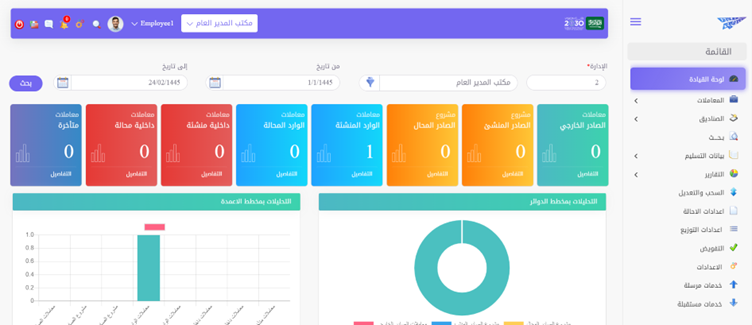
EDARA correspondence system dashboard with counts of outgoing, incoming, internal and delayed transactions

Everything your correspondence needs

From the moment a letter arrives to the final signature, every step is recorded, routed and easy to follow.

Every transaction type

Incoming, external and internal outgoing, and project transactions, each with its own flow.

Referrals and routing

Route each transaction to the right people and departments, with a referral sheet.

Follow-up and reminders

Track progress on every transaction, with reminders in the system and by email.

E-services and forms

Design your own request forms, each with its own approval path.

Electronic signatures

Sign and annotate transactions without printing them.

Built-in document editor

Write, edit and sign letters inside the system.

Controlled access

Send a transaction while hiding specific content or attachments.

Scanner integration

Scan and attach documents straight from the browser, with no extra software.

Circulars

Send circulars and notices to all departments and users at once.

Search and indexing

Find any transaction by number, subject, keyword or its full text.

Templates and watermarks

Templates for internal and external letters, with watermarks on print.

Reports and audit trail

Performance reports by department and employee, and a log of every action.

See it in action

Real screens from the system. They are shown in Arabic here, and every user can switch to English.

Register and route in one flow

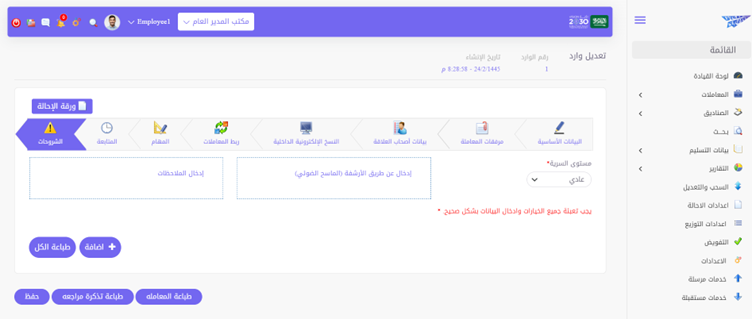
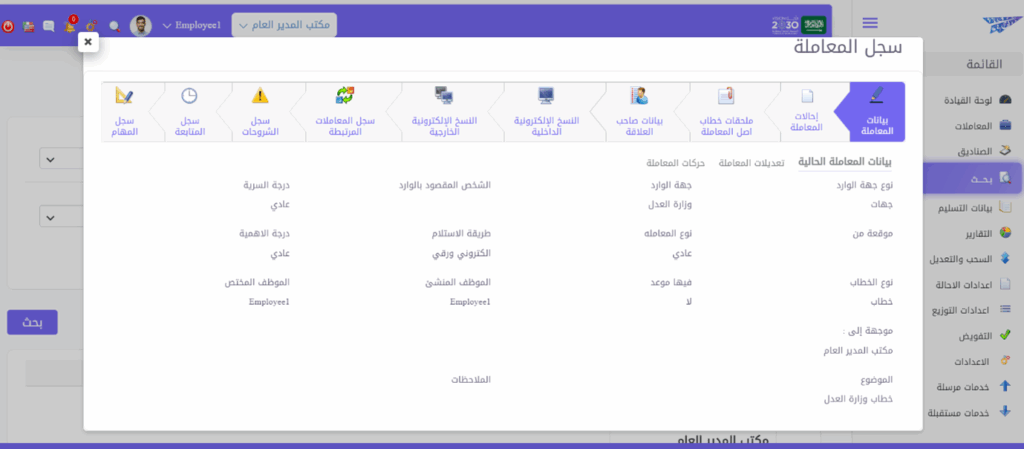
Record an incoming transaction, attach the scanned original, link related transactions and refer it onward, then print the referral sheet or a review ticket.

  • Scan the original from the browser
  • Related transactions linked together
  • Referral sheets and review tickets
Incoming transaction screen with referral, attachments, related transactions and follow-up tabs

Build your own e-services

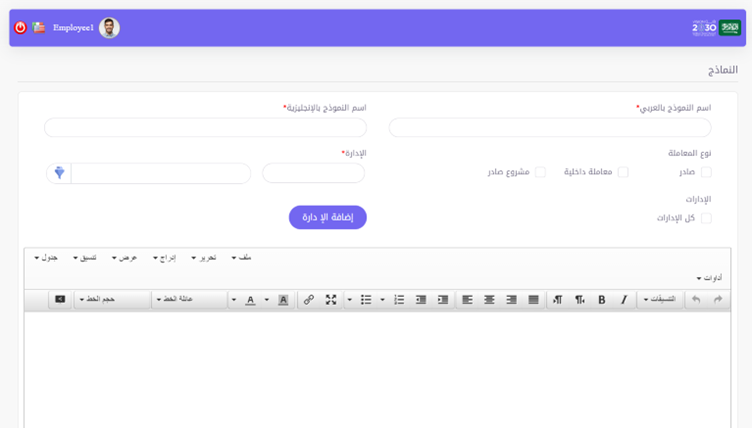
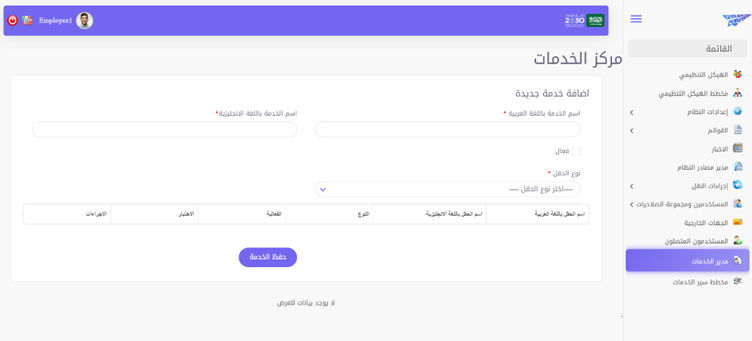
Create request forms with the fields you need, in Arabic and English, then set the path each request follows for approval.

  • Field names in Arabic and English
  • Your own approval paths
  • No programming needed
Services center where an administrator adds a new e-service and its fields

Reports you design yourself

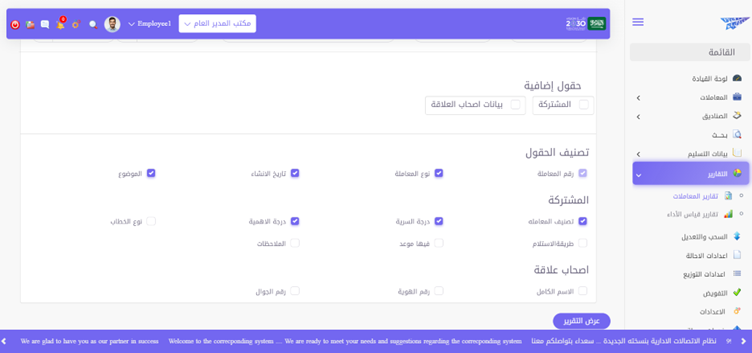
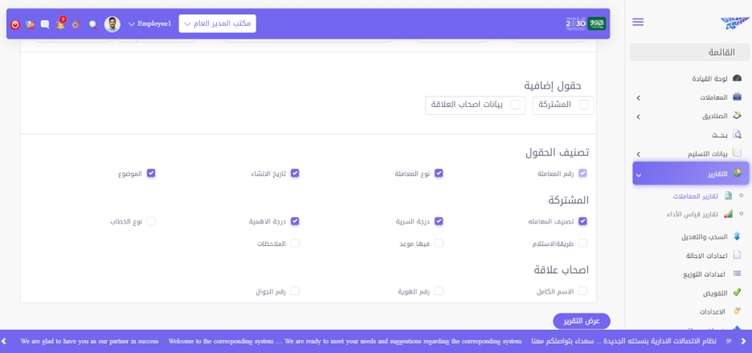
Choose the fields, filters and stakeholder details you need, and generate the report in seconds.

  • Pick fields and filters
  • Include stakeholder details
  • Performance reports by employee
Report builder with checkboxes for transaction fields, classification and stakeholders

Cloud or on your servers

Run EDARA where your policies require, and connect it to the systems you already use.

Cloud

Best forOrganizations that do not want to manage servers.

We host and run it for you, in the location you choose, including inside Saudi Arabia.

On your servers

Best forOrganizations that keep data in their own data center.

Installed on your infrastructure and run by your IT team, with our support.

Connected

Best forOrganizations with other systems to link.

Ready to connect with government platforms, ERP, HR and your other systems.

Archiving

Need a long-term archive too?

EDARA also has a separate electronic archiving system for scanning, classifying and finding documents.

From demo to go-live

A clear path from the first demo to transactions that move without paper.

Demo

We show the system using transactions from your own work.

Setup

Organization structure, users, transaction types and approval paths configured.

Training

Staff, managers and administrators trained on their part.

Go-live

Your team moves its transactions online, with our team supporting the launch.

Support

Ongoing support and updates under a plan that suits you.

Questions we hear often

Something else on your mind? Ask us directly.

What is a correspondence management system?

It replaces paper incoming and outgoing registers. Every transaction is recorded, routed, signed and tracked electronically, with a full history of who did what and when.

Does it handle incoming, outgoing and internal transactions?

Yes. It covers incoming, external outgoing, internal and project transactions, each with its own flow.

Can we design our own request forms?

Yes. Administrators create e-services with their own fields and approval paths, without programming.

Can it connect to government platforms and our other systems?

Yes. EDARA is ready to connect with government platforms, ERP, HR and other systems. We plan and build each integration with you.

Can it run in the cloud or on our own servers?

Both. We run EDARA in the cloud, hosted in the location your policies require, including inside Saudi Arabia, or install it on your own servers.

Does it support Arabic and Hijri dates?

Yes. Every user can work in Arabic or English, and dates are supported in both the Hijri and Gregorian calendars.

What is the difference between the correspondence and archiving systems?

The correspondence system manages how transactions move between people and departments. The archiving system stores documents and helps you find them. They are separate products, and many organizations use both.

See the correspondence system on your own workflow

Book a demo and we will walk you through it using transactions from your work.

Streamline Your Communication, Enhance Your Workflow

Corresponding System

Our Corresponding System is designed to simplify and automate all incoming and outgoing correspondence within your organization. From letters and memos to digital requests and approvals, the system centralizes communication in one secure platform. It ensures full tracking, classification, and archiving of correspondence, while providing powerful search capabilities, notifications, and workflow management. With role-based access and multilingual support, it enables faster decision-making, reduces manual errors, and guarantees compliance with organizational policies.


Corresponding System Services Include

Comprehensive Admin Control Panel

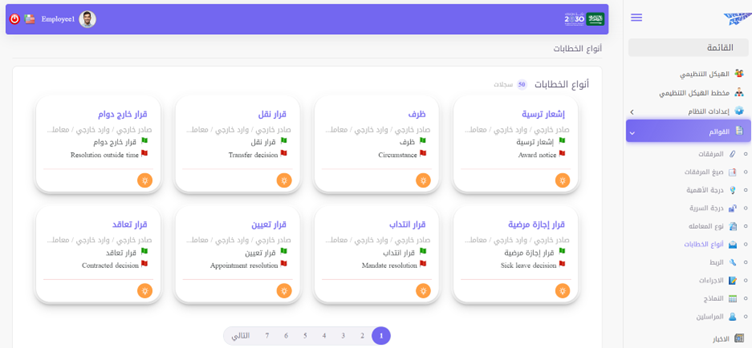
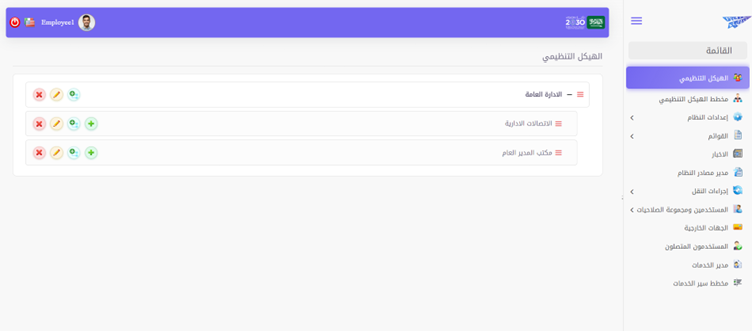
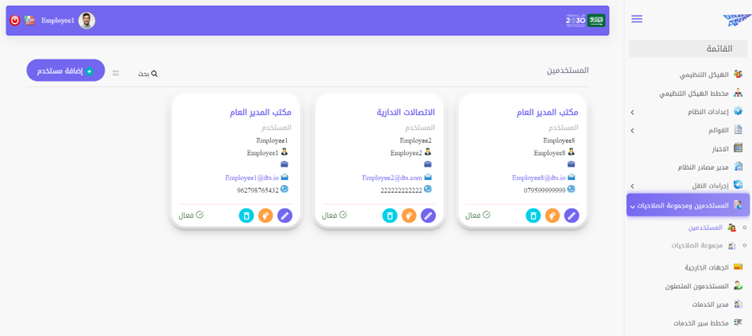
The system provides administrators with a dedicated control screen to manage the entire organizational structure, users, roles, and permissions. Through this screen, administrators can also define new attachment types, edit existing ones, and maintain full governance over system configurations—as illustrated in the image below.

Dynamic Forms & Workflow Automation

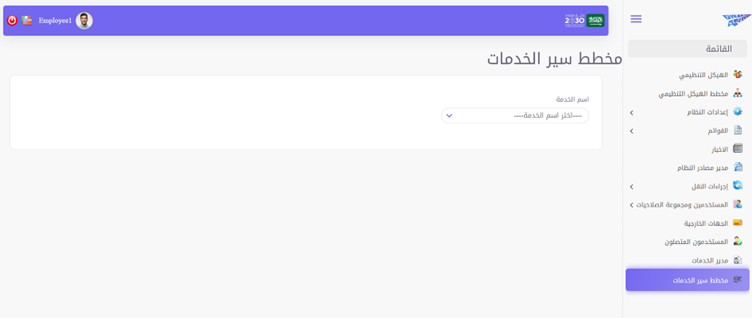
The system allows administrators to design and manage dynamic services (Dynamic Forms) that users can easily fill out. Each form follows predefined workflows set by the administrator, ensuring smooth routing, faster approvals, and greater process efficiency—as illustrated in the figure below.

Configurable Service Pathways

The system allows administrators to design and manage dynamic services (Dynamic Forms) that users can easily fill out. Each form follows predefined workflows set by the administrator, ensuring smooth routing, faster approvals, and greater process efficiency.

Performance Reporting & Insights

The system generates detailed performance reports at both departmental and individual employee levels. These reports provide actionable insights that help managers track productivity, monitor progress, and support data-driven decision-making.

Paperless Correspondence Management

The system enables fast, paperless handling of all correspondence by creating and managing every type of transaction—external outgoing, internal outgoing, project-related outgoing, and incoming.

Seamless Scanner Integration

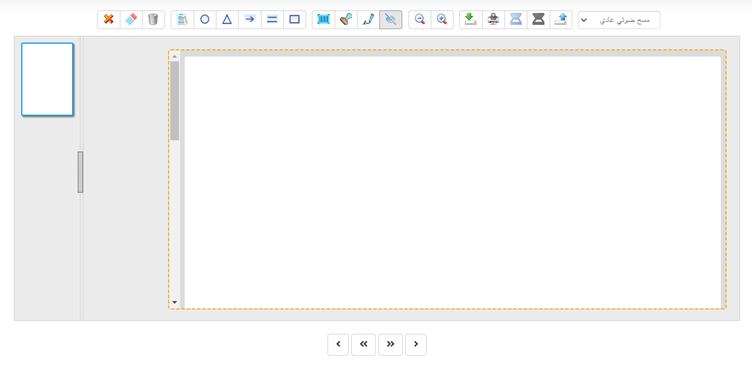
Our system supports direct integration with scanners, allowing users to scan and attach documents instantly through their web browser—no additional software required. This ensures a smooth, efficient, and fully digital workflow.

Controlled Access to Content

Users can send transactions while restricting access to specific content or attachments, ensuring sensitive information is only visible to authorized recipients.

Powerful Search and Retrieval

Easily search and retrieve the text of any transaction, making information instantly accessible when you need it.

Personalized User Dashboard

Each user has a customized dashboard that provides a clear overview of tasks, notifications, and correspondence status, as illustrated below.

User Management & Access Control

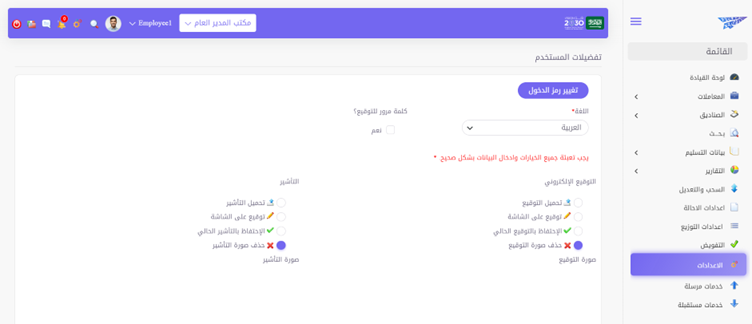
The system provides full control over user accounts and permissions, allowing administrators to create, modify, or disable accounts as needed. This ensures secure access and helps maintain strict compliance with organizational policies.

Dynamic Document Watermarking

The system allows you to add watermarks to documents, ensuring they are visible during review, printing, or internal circulation. Authorized users can also print transactions without watermarks, giving you full control over document confidentiality.

Custom Transaction Templates

The system allows administrators to create and manage templates for both internal and external transactions. This streamlines document preparation, ensures consistency, and saves time across all organizational communications.

Electronic Signatures & Annotations

The system enables users to electronically sign and annotate transactions, ensuring authenticity, accountability, and streamlined approval processes—all within a secure digital environment.

Complete Digital Correspondence & Workflow Management

Our system streamlines organizational communication and document handling by combining secure digital signatures, multilingual support, smart workflows, advanced search, collaborative tools, and comprehensive reporting. From drafting and routing transactions to tracking progress and generating analytics, it ensures efficiency, accountability, and data-driven decision-making across your entire organization.

Digital Signatures & Document Editing

The system supports digital signatures and includes an internal editor for creating, editing, and signing documents directly within the platform, ensuring authenticity and streamlined document management.

Integrated Workflow & Notifications

Easily route documents and decisions to authorized users, track the progress of each transaction, and receive real-time notifications and reminders directly on the system, email, or mobile, ensuring timely completion of tasks.

Interdepartmental Communication

Send circulars and notifications to all departments and users, attach multiple documents, and add sticky notes or annotations, improving collaboration and information sharing across the organization.

Let us improve your business!