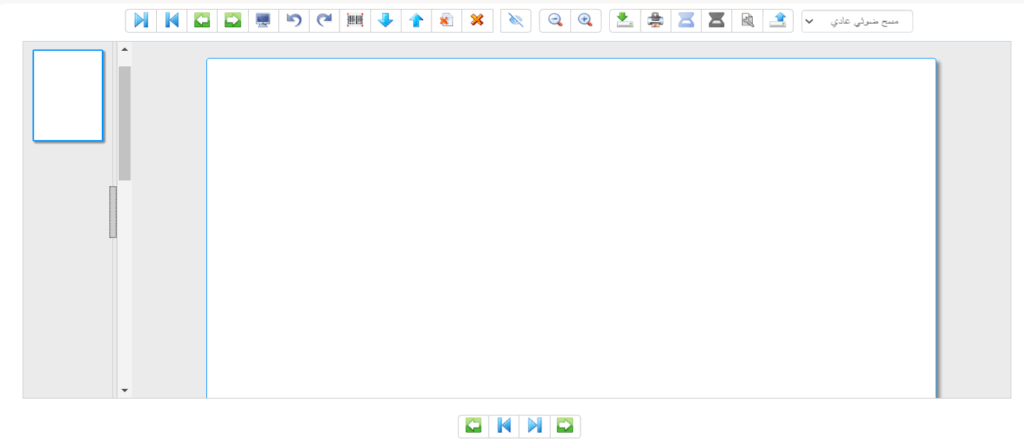
The system supports direct integration with scanners, allowing users to scan attachments instantly through their web browser.
Address
RIYADH, AL MASIF, AL IMAM SAUD IBN ABDUL AZIZ BRANCH RD, TILAL CENTER, OFFICE #2Technology partner for Saudi businesses: consulting, ERP, e-invoicing, archiving and cloud.
Address
RIYADH, AL MASIF, AL IMAM SAUD IBN ABDUL AZIZ BRANCH RD, TILAL CENTER, OFFICE #2Contact
+966-557-885-607Find any document in seconds. Scan, classify and archive incoming, outgoing and internal documents, then search by number, subject, content or barcode, in Arabic or English, with permissions and e-signatures built in.
From the scanner to the shelf, every document is captured, classified, secured and easy to find again.
Scan documents and attachments straight from the web browser.
Search by number, subject, creator, content, keyword, classification or location.
Automatic document numbers and barcode labels for every transaction.
Record where every paper original is stored, so it is never lost.
Incoming, outgoing and internal documents, with types you define.
Each user signs with a personal signature linked to their account.
Secrecy levels, hidden content and watermarks on view and print.
Roles and access rights managed by your administrators.
Departments and units that match how your organization works.
Ready templates for internal and external documents.
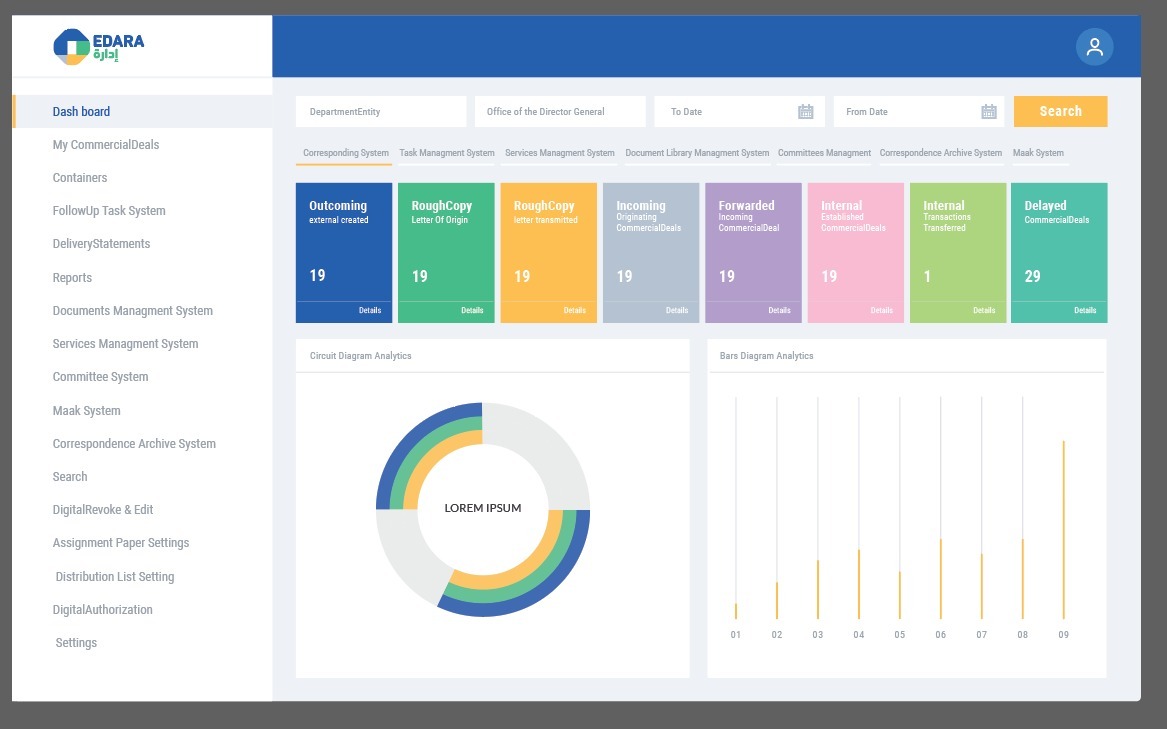
A personal dashboard, with alerts in the system and by email.
Statistical and tabular reports by document, user and department.
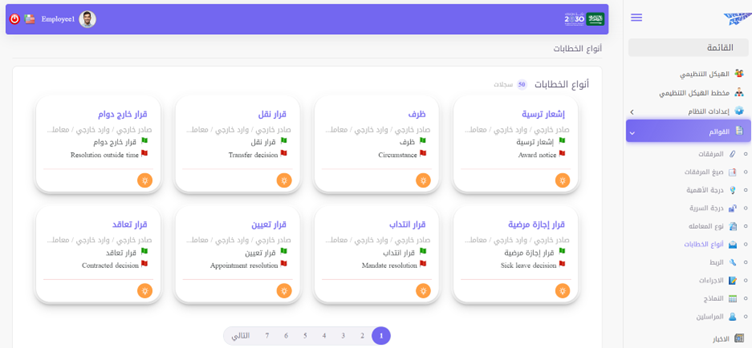
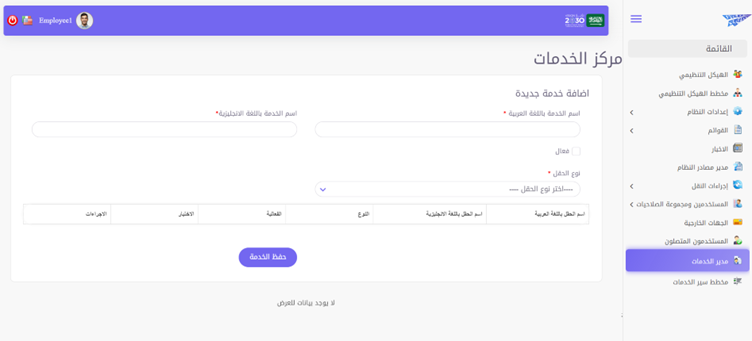
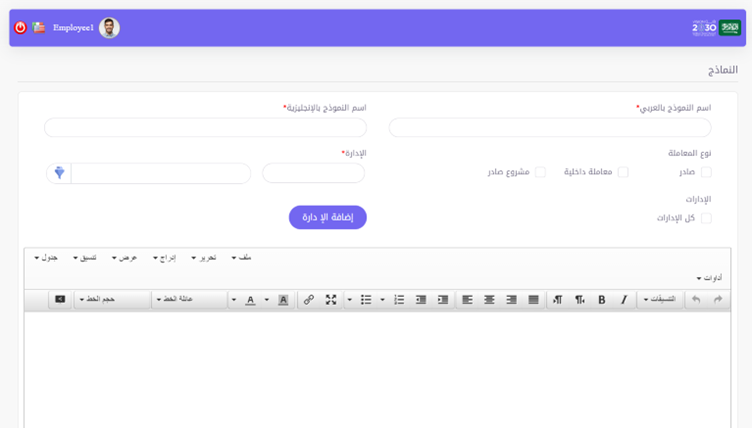
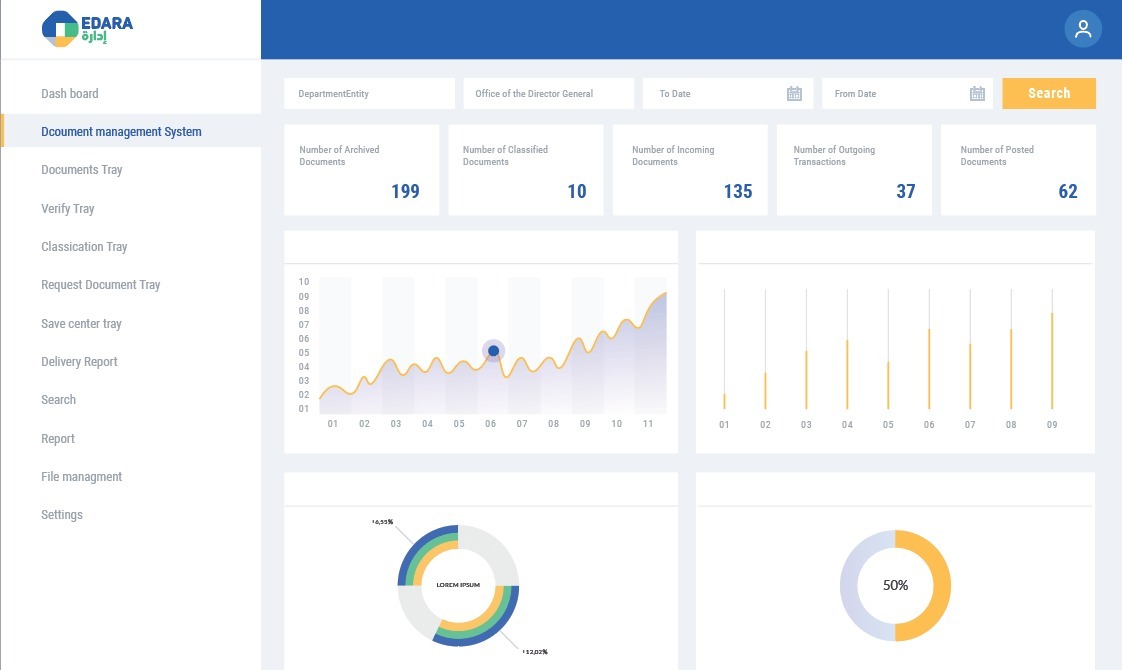
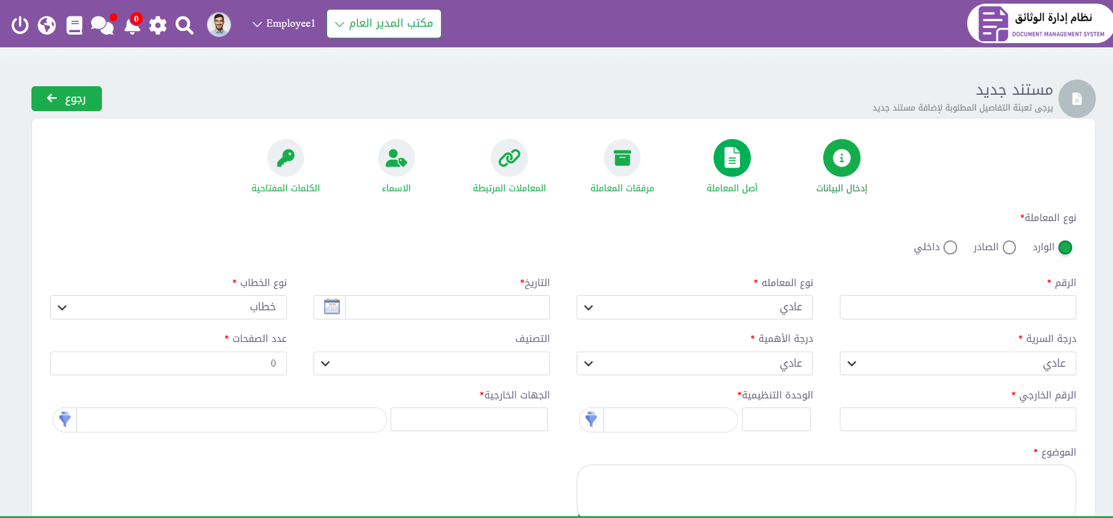
Real screens from the system. They are shown in Arabic here, and every user can switch to English.
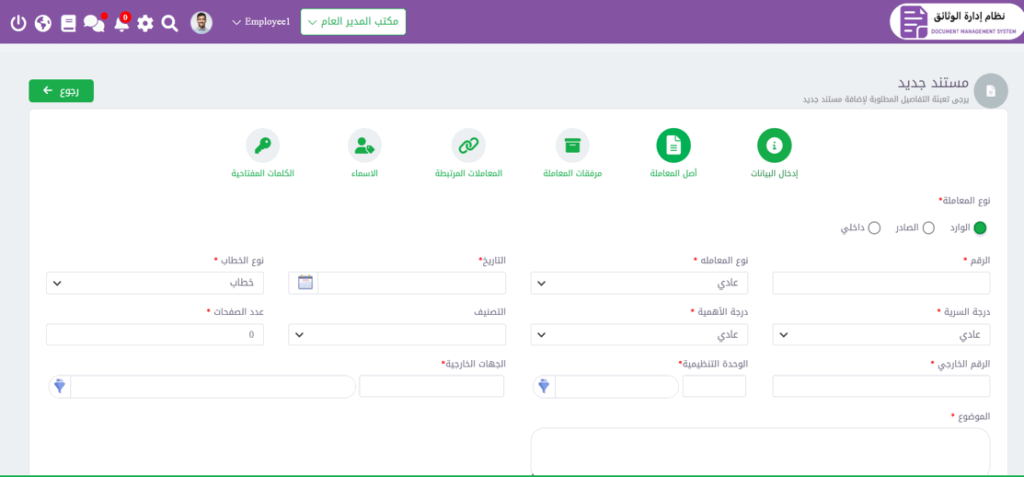
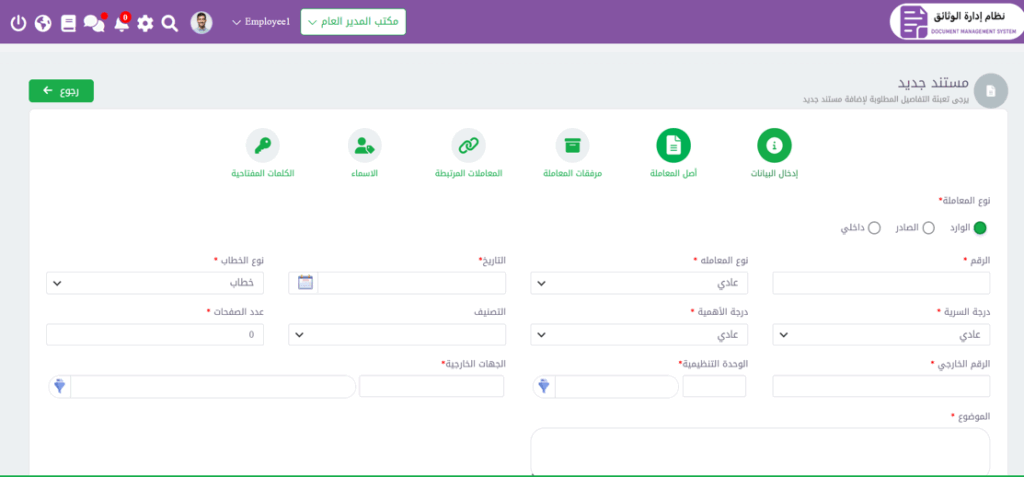
Choose incoming, outgoing or internal, set the type, secrecy and importance, link related transactions and attach the scan, without leaving the form.

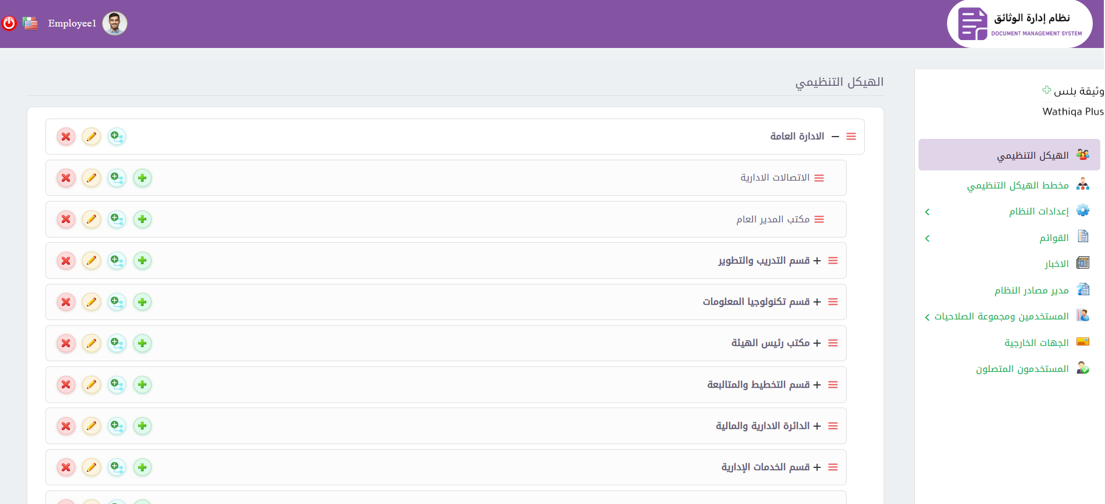
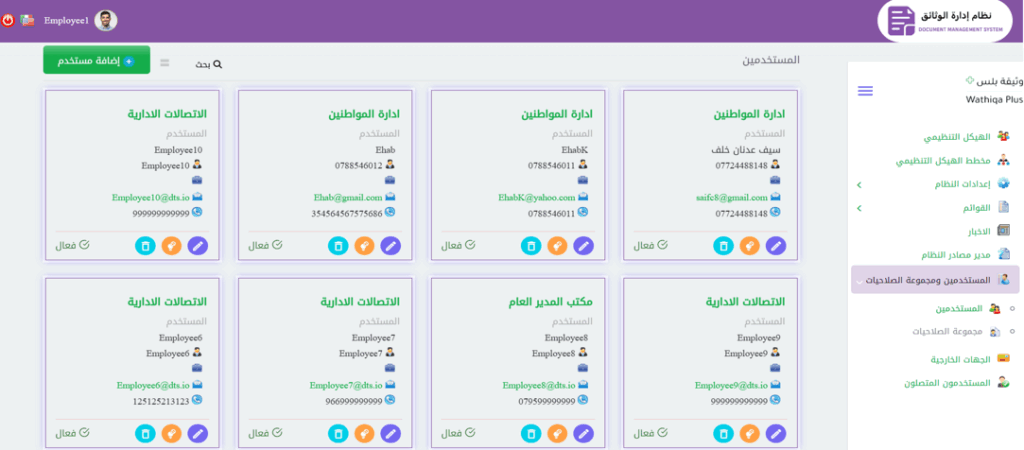
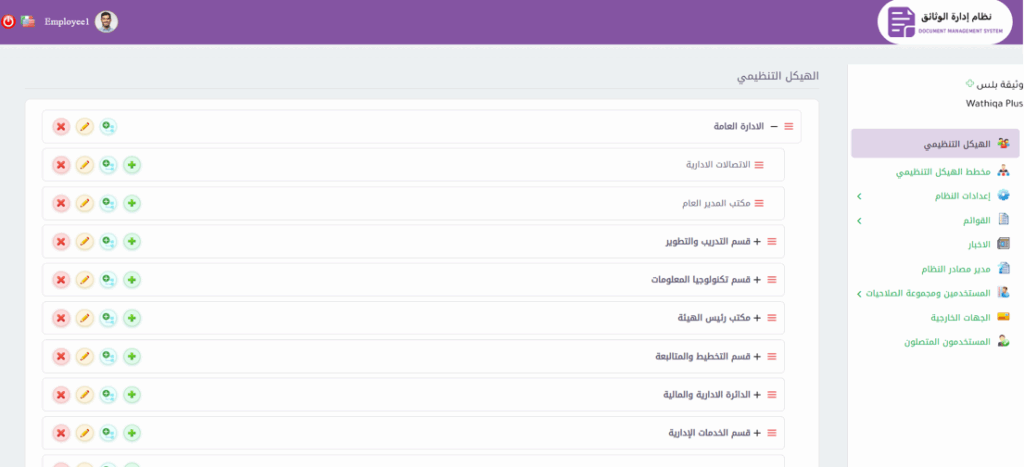
Build departments and units as they really are, then give each user the access their role needs.

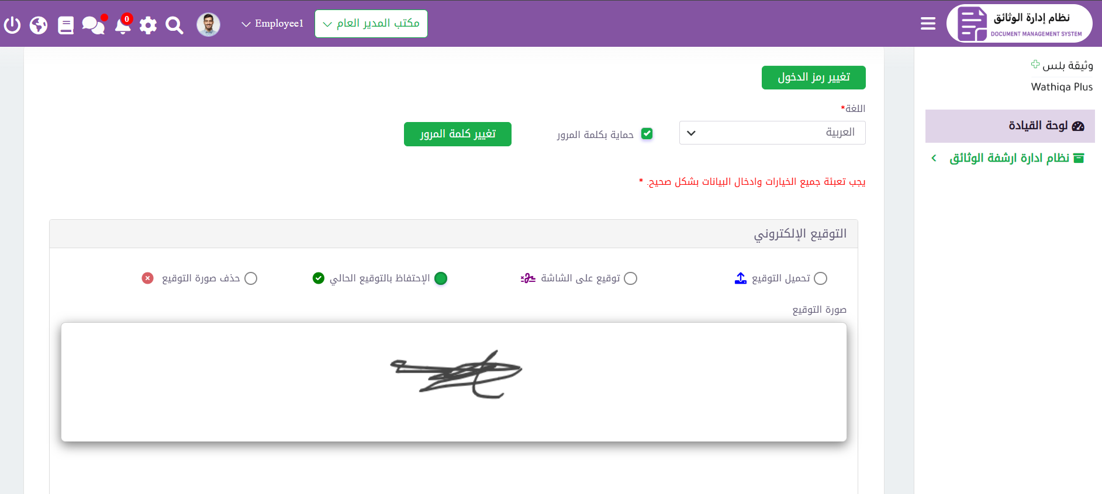
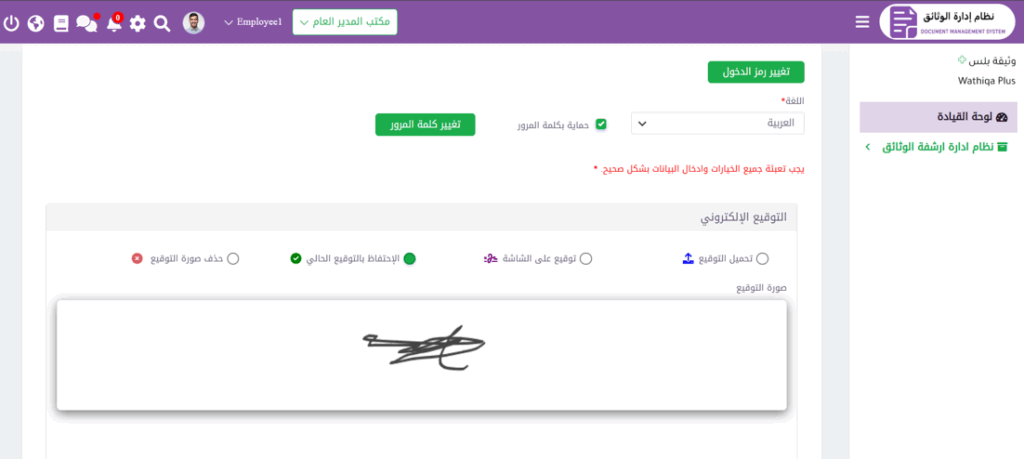
Each user uploads or draws a signature once, protects it with their password, and uses it to approve documents.

Run EDARA where your policies require, and connect it to the systems you already use.
Best forOrganizations that do not want to manage servers.
We host and run it for you, in the location you choose, including inside Saudi Arabia.
Best forOrganizations that keep data in their own data center.
Installed on your infrastructure and run by your IT team, with our support.
Best forOrganizations with other systems to link.
Ready to connect with your ERP, HR, government platforms and other systems.
Correspondence
EDARA also has a separate correspondence system that routes transactions, approvals and circulars between departments.
A clear path from the first demo to an archive your teams use every day.
We show the system using scenarios from your own work.
Organization structure, users, document types and templates configured.
Archive staff, managers and administrators trained on their part.
Your team starts archiving, with our team supporting the launch.
Ongoing support and updates under a plan that suits you.
Something else on your mind? Ask us directly.
It replaces paper filing. Documents are scanned, classified and stored digitally, so authorized staff can find them in seconds, while the paper originals are tracked to their storage location.
Yes. Every user can work in Arabic or English, and dates are supported in both the Hijri and Gregorian calendars.
Yes. The system connects to your scanners, so staff scan and attach documents straight from the web browser.
Through user permissions, secrecy levels, hidden content and watermarks. Only authorized users can see a confidential document or print it without a watermark.
Both. We run EDARA in the cloud, hosted in the location your policies require, including inside Saudi Arabia, or install it on your own servers.
Yes. EDARA is ready to connect with your ERP, HR, government platforms and other systems, so documents move between them without being entered twice.
The archiving system stores documents and helps you find them. The correspondence system manages how transactions move between people and departments. They are separate products, and many organizations use both.
Book a demo and we will walk you through it using scenarios from your work.
An electronic system specialized in scanning and archiving documents and letters, whether outgoing or incoming, and whether internal or external correspondence. The system also handles automatic numbering of documents and letters, barcode printing, and tracking of procedures, tasks, and approvals related to both incoming and outgoing correspondence and documents.


Users can specify the storage locations for physical documents, organizing them efficiently within designated storage areas.
The system supports multiple types of document searches, including:
• Searching incoming and outgoing documents.
• Searching by subject, creator.
• Searching within content, keywords.
• Searching by classification, file or storage location.
The system enables rapid, fully digital archiving of all types of transactions without the need for paper, using dynamic creation of each transaction type.
The system supports direct integration with scanners, allowing users to scan attachments instantly through their web browser.
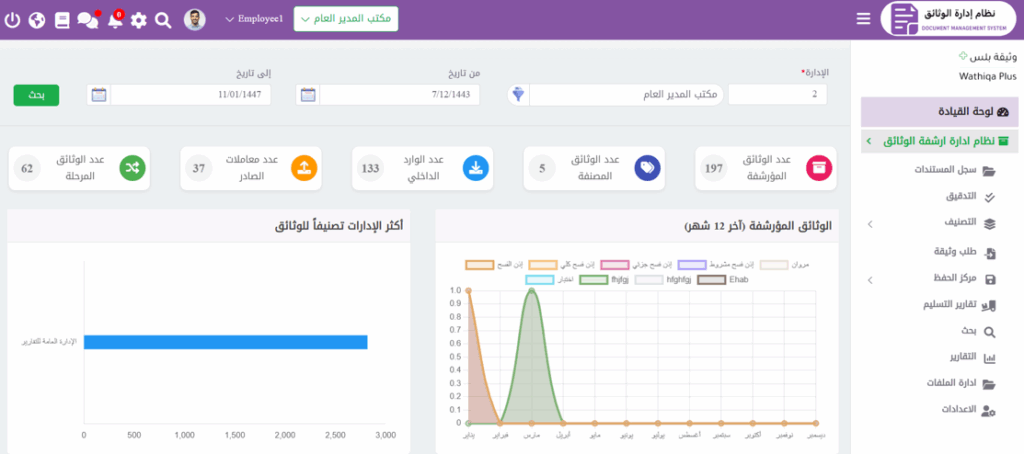
The system displays a personalized dashboard for each user, providing an overview of tasks, notifications, and document status.
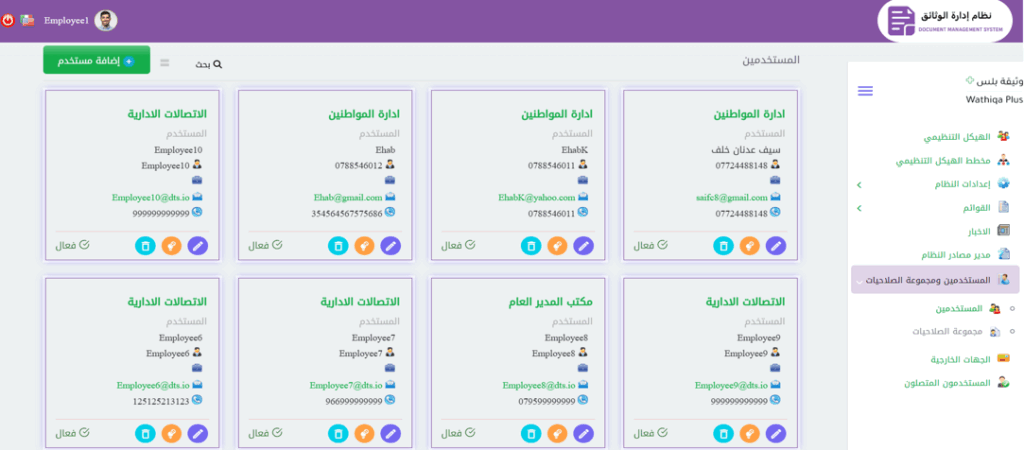
The system allows administrators to create and manage users and their permissions, as well as disable user accounts as needed, ensuring secure and controlled access.
The system allows adding and managing the organization’s structure, aligning it with operational needs. Administrators can assign users to their respective departments and define permissions at the departmental level.
The system provides electronic signature functionality, allowing each employee to customize their signature, which is securely linked to their username and password.
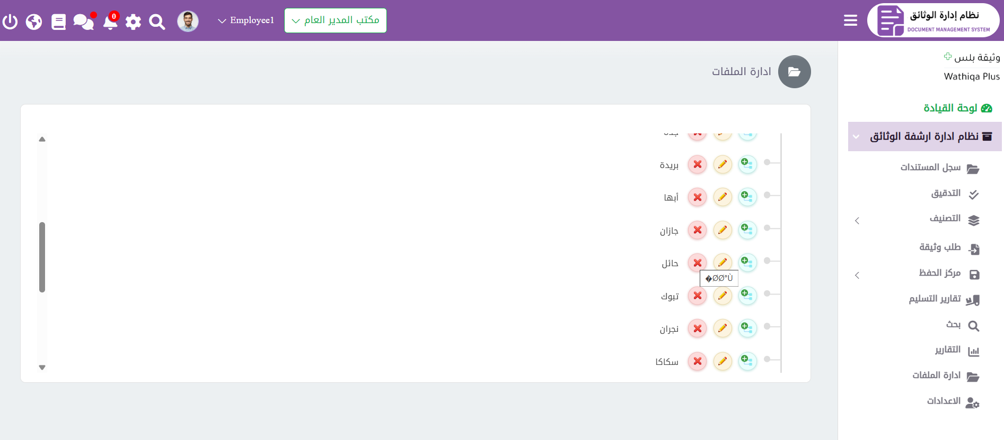
The system fully supports file management and physical document storage, with access and actions controlled according to user permissions
The system provides full control over user accounts and permissions, allowing administrators to create, modify, or disable accounts as needed. This ensures secure access and helps maintain strict compliance with organizational policies.
The system allows you to add watermarks to documents, ensuring they are visible during review, printing, or internal circulation. Authorized users can also print transactions without watermarks, giving you full control over document confidentiality.
The system allows administrators to create and manage templates for both internal and external transactions. This streamlines document preparation, ensures consistency, and saves time across all organizational communications.
Our system streamlines organizational communication and document handling by combining secure digital signatures, multilingual support, smart workflows, advanced search, collaborative tools, and comprehensive reporting. From drafting and routing transactions to tracking progress and generating analytics, it ensures efficiency, accountability, and data-driven decision-making across your entire organization.
The system ensures enhanced security for confidential documents by supporting multiple secrecy levels, hiding sensitive content, applying digital signatures, and watermarking documents. Authorized users can control visibility and print options based on permissions.
Fully supports both Arabic and English languages and accommodates Hijri and Gregorian calendars, providing flexibility and localization for diverse organizational needs.
Administrators can define roles, assign permissions, and manage user access. The system allows partial content restriction when sending transactions and integrates with other systems on demand to streamline workflows.